MDL and significant figures numbers
Creation date: 05/05/2026 13:15
Updated: 05/05/2026 13:15
My ESdat tables are not currently showing the MDL. Could you please advise how I can include the MDL in my ESdat tables? The ALS lab report already lists the lowest detection limits. I also want my ESdat-generated tables to display significant figures numbers
Answer:
Answer:
MDL values will only appear in your tables if they are included in the Chemistry Results csv (provided by the lab) OR added manually. The default column for Detection Limit in the ESdat EDDis EQL, so it is likely that the lab is providing values under EQL. If they can generate EDD's with version ELDF4 (the newest version of EDD format), this includes the MDL column.
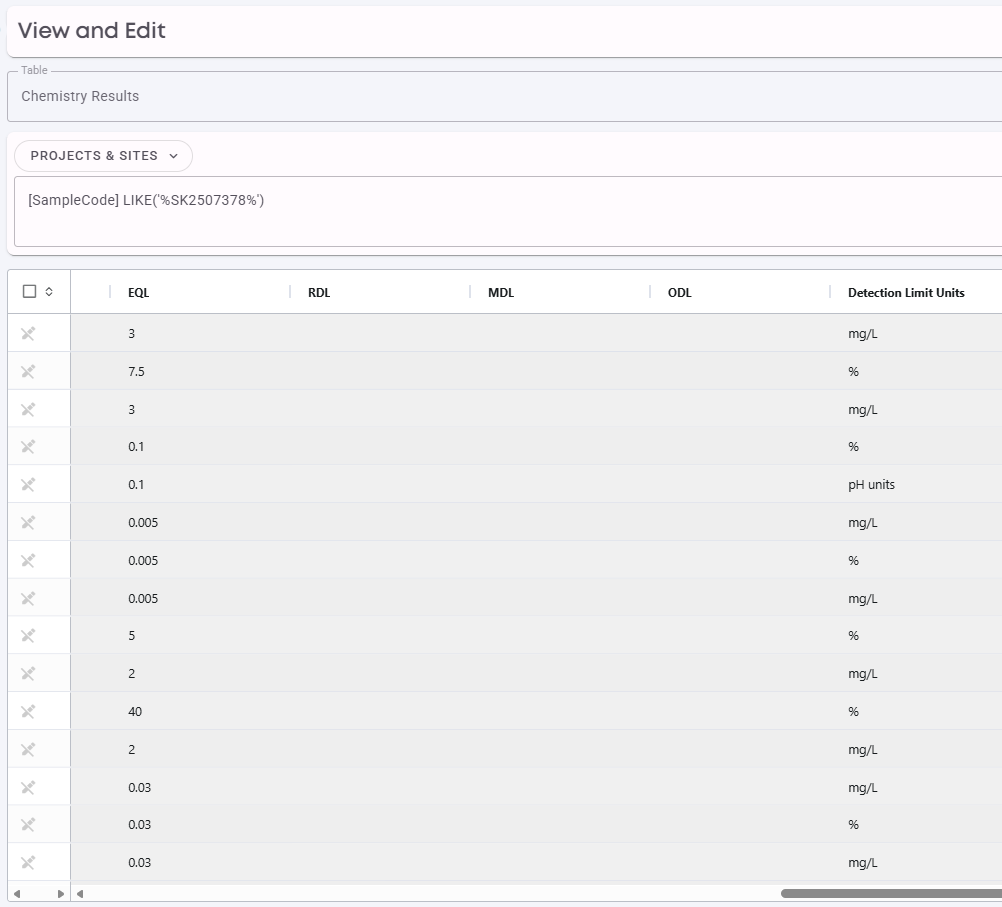
MDL values can be added in the Data Migration menu (View & Edit) in the Chemistry Results table. See the example below:
As long as you have edit permissions, you can update values in these columns.
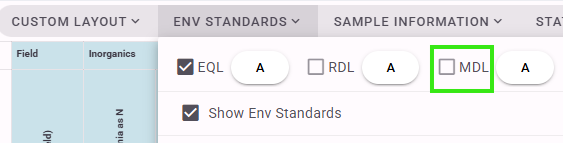
You will also want to make sure the MDL column is selected in your Custom Layout (Chem Table), so that this is displayed on your tables.
If you are interested in editing the Significant Figures for results, there is a column for this as well "Result Sig Fig" in the Chemistry Results table, which you can view in View & Edit as well.
DataImage33.png
DataImage70.png